
More than 500K
active users

4.9/5
AI Video Translator
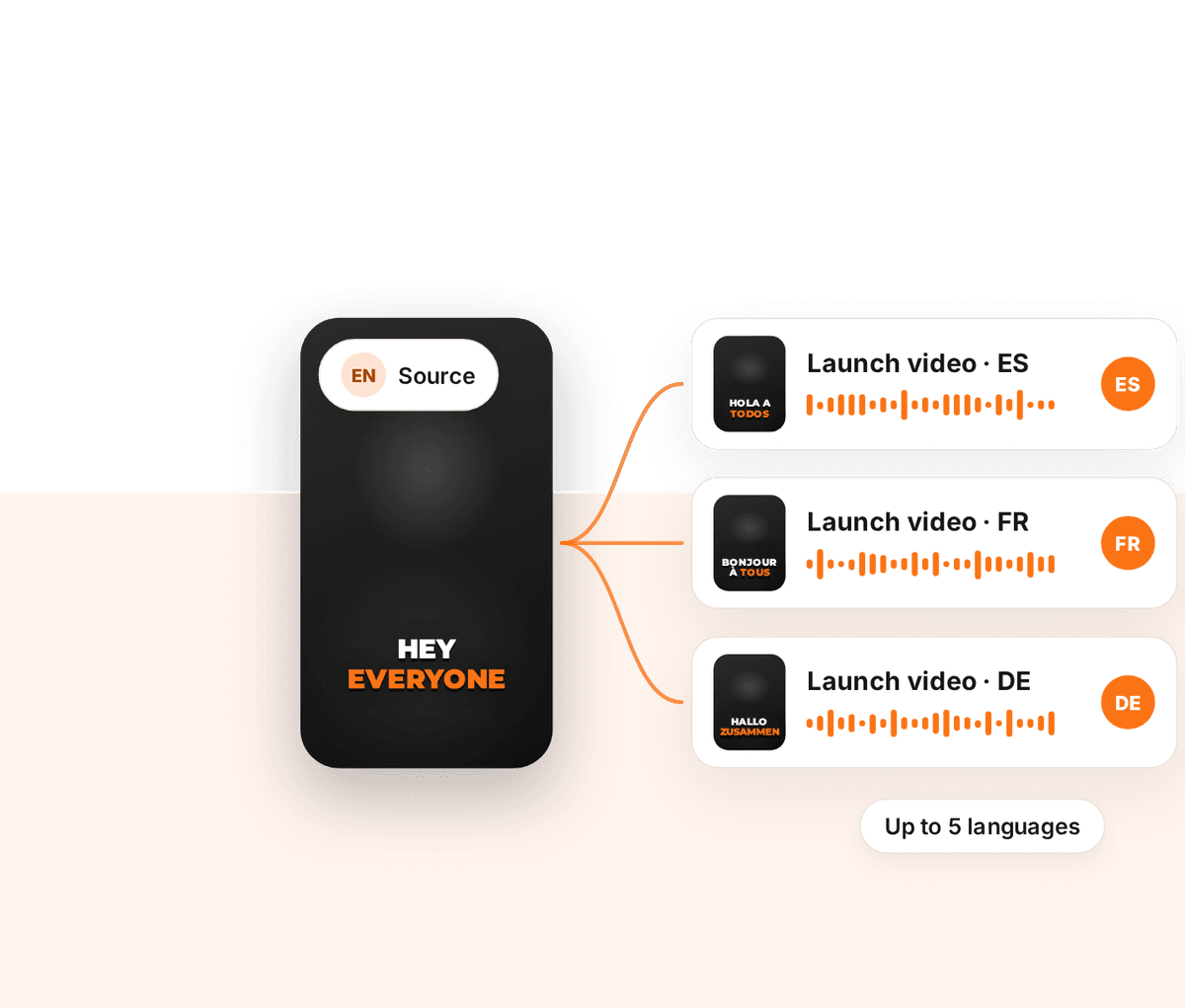
One Upload, Up To 5 Languages
Localise MAX translates what is said in your video, re-voices it with a natural AI voice and captions every version. 65 languages, videos up to 5 minutes.

Included with Pro and Agency+


Trusted by leading creators and businesses worldwide


How it works
Translate a video in 3 steps
One upload produces a separate, editable video per language.
- 1
Upload and choose where the voice comes from
Open Localise MAX and upload your video. Tell ZapCap whether it already has speech to translate, or whether you want a voiceover added from a script you paste in.
- 2
Pick up to 5 languages and a voice
Select your target languages and one of two AI voices. The same voice is used for every language, and the credit cost is shown before you create anything.
- 3
Edit and export each version
Each language becomes its own caption project. Review the captions, restyle them and export when you are happy.
Captions in other languages
Text that reads natively
Sample ZapCap caption renders in Spanish, Japanese and Arabic. Localise MAX adds a translated voice track on top.
What you get
A finished video per language, not a subtitle file
Each version has its own voice track and its own captions.
Translates the meaning
The translation is written to carry what was meant, rather than swapping words one for one.
A natural AI voice
Choose between two voices. The voiceover is fitted to the timing of the original speech. It is not a clone of your voice and there is no lip sync.
Captions in every language
Captions are timed to the new voice track and rendered in the target language, in any ZapCap caption style.
Works without speech too
For videos with music instead of talking, paste a script. ZapCap voices it in each language and keeps the original sound underneath.
Cost shown before you start
Localise MAX uses 1 AI credit per second of video for each language. If a language fails, its credits are returned.
Add languages later
Come back to a localised video to add another language or retry one, without uploading again.
Related
Other ways to translate a video
AI Dubbing
Want the translation in the speaker’s own voice? AI Dubbing clones it, in 29 languages.
🧩Translated subtitles by API
Need subtitles translated without a new voice track? The API translates captions into 98 languages.
🌐Caption languages
See how ZapCap captions look in the languages your audience reads.
Got Questions?
Localise MAX supports 65 languages: English, Spanish, French, German, Italian, Portuguese, Dutch, Polish, Swedish, Danish, Finnish, Czech, Slovak, Bulgarian, Croatian, Romanian, Greek, Turkish, Russian, Ukrainian, Arabic, Hindi, Tamil, Indonesian, Malay, Filipino, Japanese, Korean, Chinese, Slovenian, Hungarian, Estonian, Lithuanian, Latvian, Norwegian, Vietnamese, Hebrew, Thai, Catalan, Serbian, Bosnian, Macedonian, Albanian, Afrikaans, Swahili, Georgian, Armenian, Azerbaijani, Kazakh, Persian, Urdu, Bengali, Telugu, Malayalam, Kannada, Marathi, Gujarati, Punjabi, Nepali, Icelandic, Welsh, Galician, Basque, Belarusian and Maltese.
Yes. English is one of the 65 target languages, so you can upload a video in another language and get an English version with an English voice and English captions.
Videos can be up to 5 minutes long, and you can choose up to 5 languages per upload. Each language counts as one of the videos in your monthly plan.
Localise MAX is available on Pro and Agency+. It uses AI credits, which are part of your plan, at 1 credit per second of video for each language. The total is shown before you create the videos.
No. Localise MAX uses a natural AI voice, the same one across all your languages, and it does not change the picture. If you want the translation in the speaker’s own voice, use AI Dubbing.
Not in the ZapCap app, where translation comes with a voice track. Through the ZapCap API you can translate captions on their own, into 98 languages, with the translateTo option.
Yes. Each language opens as a normal caption project, so you can correct the text, change the caption style and re-export.
Publish the same video in five languages
Translation, voice and captions for every version, from one upload.
Included with Pro and Agency+