
More than 500K
active users

4.9/5
SRT File Generator
From Video Or Audio To Subtitle File
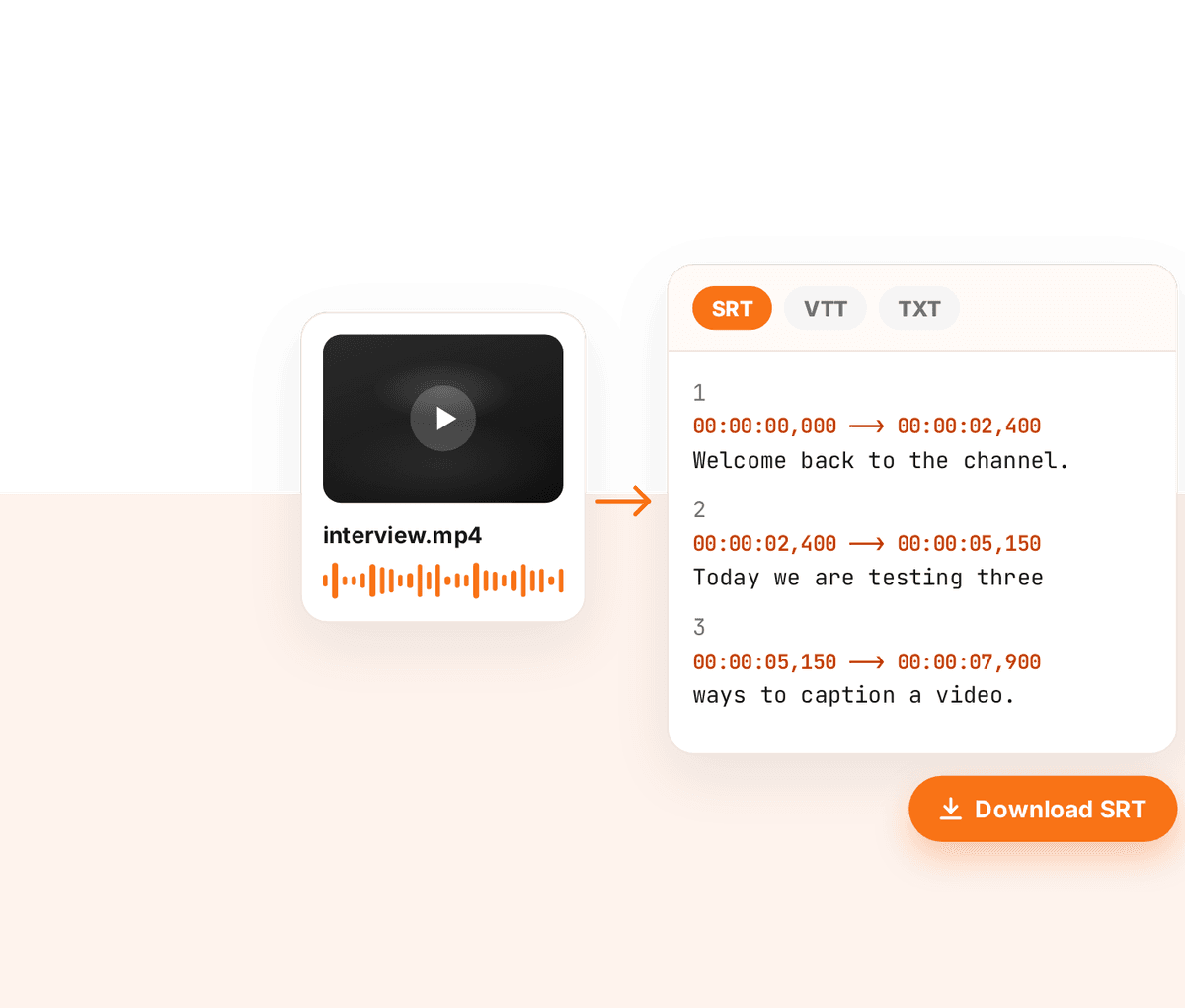
Upload a video or audio file and download the subtitles as SRT, VTT or plain text. Free to try, in 90+ spoken languages.

No sign-up required


Trusted by leading creators and businesses worldwide


How it works
Create an SRT file in 3 steps
No account needed for your first files.
- 1
Upload a video or audio file
Open the transcription tool and drop in your file. Free files can be up to 25 MB.
- 2
Choose SRT, VTT or Text
Pick the format your editor or platform needs. SRT and VTT include timestamps, Text is the transcript on its own.
- 3
Download your subtitle file
ZapCap transcribes the speech and hands you the file, ready to upload to YouTube, attach to a video or open in an editor.
Two ways to get an SRT
A quick file, or a file you have checked
Use the free tool for speed, or the caption editor when the wording has to be right.
Free transcription tool
Upload, pick a format, download. 3 free transcriptions a month with no sign-up.
Download SRT from the editor
Caption a video in ZapCap, correct any words, then use Download SRT. It is available on every plan, including Free.
SRT, VTT and TXT
The transcription tool exports all three. The caption editor exports SRT and can copy the subtitles as text.
90+ spoken languages
Transcribe speech in the language it was recorded in, from English and Spanish to Hindi, Arabic and Japanese.
Bigger files for subscribers
With a paid ZapCap plan the transcription tool is unlimited and accepts files up to 1 GB.
Use an SRT as a spelling guide
Already have an SRT? On Pro you can attach it when captioning so names and terms are spelled your way, while timing still comes from the audio.
Related
Do more with your subtitles
Got Questions?
An SRT (SubRip) file is a plain text subtitle file. Each entry has a number, a start and end time, and the line of text to show. Most video players, editors and platforms, including YouTube, accept it.
Upload the video to ZapCap’s transcription tool, choose SRT as the format and download the file. ZapCap transcribes the speech and writes the timestamps for you.
You can create 3 files a month for free, with no sign-up, for files up to 25 MB. A paid ZapCap plan removes the monthly limit and raises the file size to 1 GB.
Yes. The tool accepts video and audio files, including MP4, and returns an SRT with timestamps taken from the speech in the file.
Yes, in the caption editor. Create a captions project, correct the text, then choose Download SRT from the menu next to Export Video. The free tool downloads the file as transcribed.
The transcription tool exports SRT, VTT or plain text. The caption editor downloads SRT and can copy the subtitles to your clipboard as text.
Get your subtitle file in a couple of minutes
Upload a video or audio file and download the SRT.
No sign-up required